> ## Documentation Index
> Fetch the complete documentation index at: https://docs.graphext.com/llms.txt
> Use this file to discover all available pages before exploring further.
# Box Plot
***
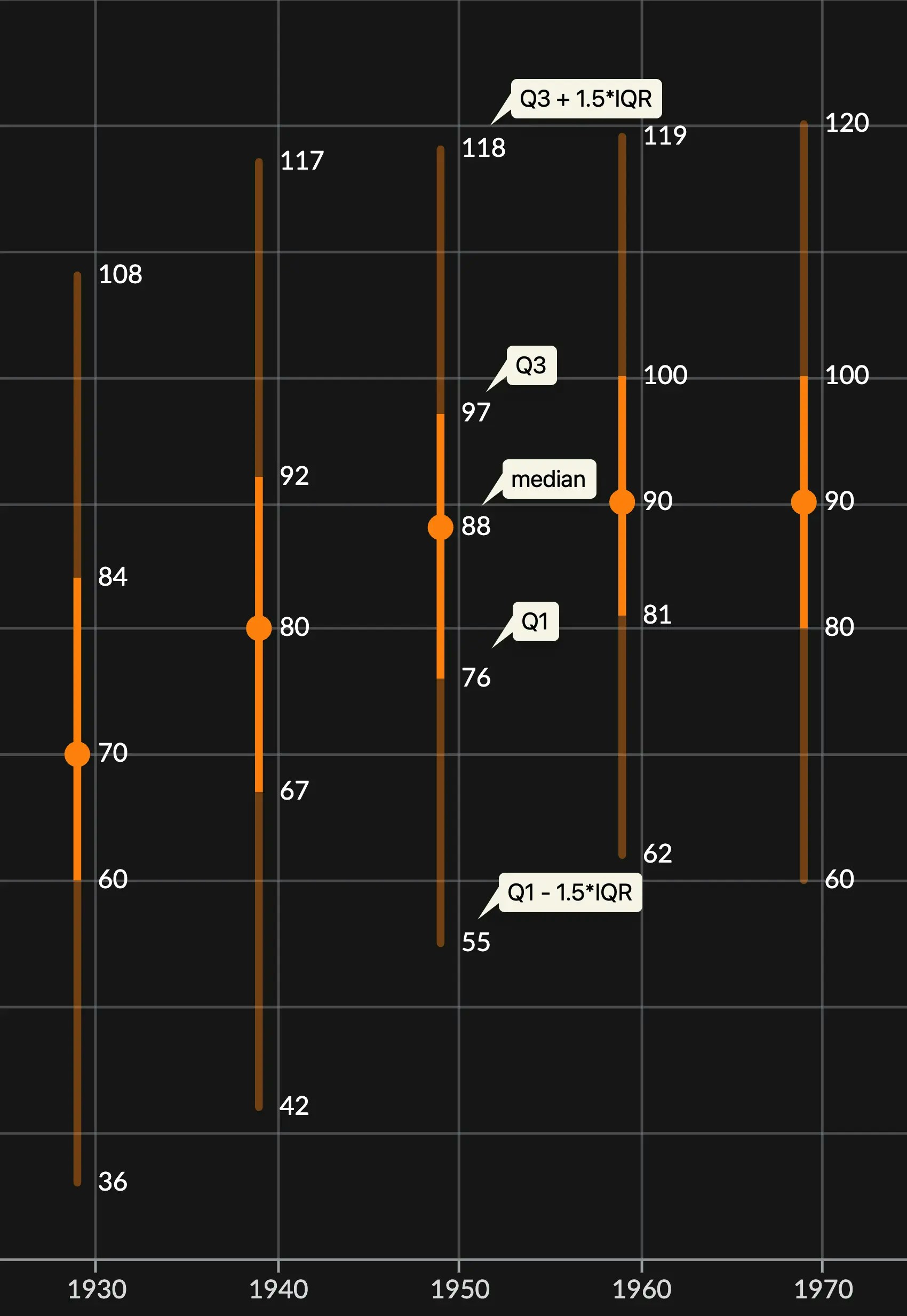
Box plots, or also known as whisker plots, are great at summarizing distributions across categories in your variable.
They represent the most important splits along a given distribution in your data: the [quartiles](https://en.wikipedia.org/wiki/Quartile).
In Graphext, we also represent values that extend past the [interquartile range](https://en.wikipedia.org/wiki/Interquartile_range), showing the spread that occurs above
and below it.
 These kind of charts are quite flexible since they can display a wide range of types in an easy and information dense
format.
Box plots are not very customizable
## Customizing Box plots
Box plots are relatively simple charts on their own, and, as such, not much configuration can be made apart from
coloring the bins and changing the axes settings.
### Color
Color customization for box plots works in the same way as with any chart.
You can learn more here: [Customizing colors in a chart](/documentation/data-visualization/customizing-charts#colors).
### Axes configuration
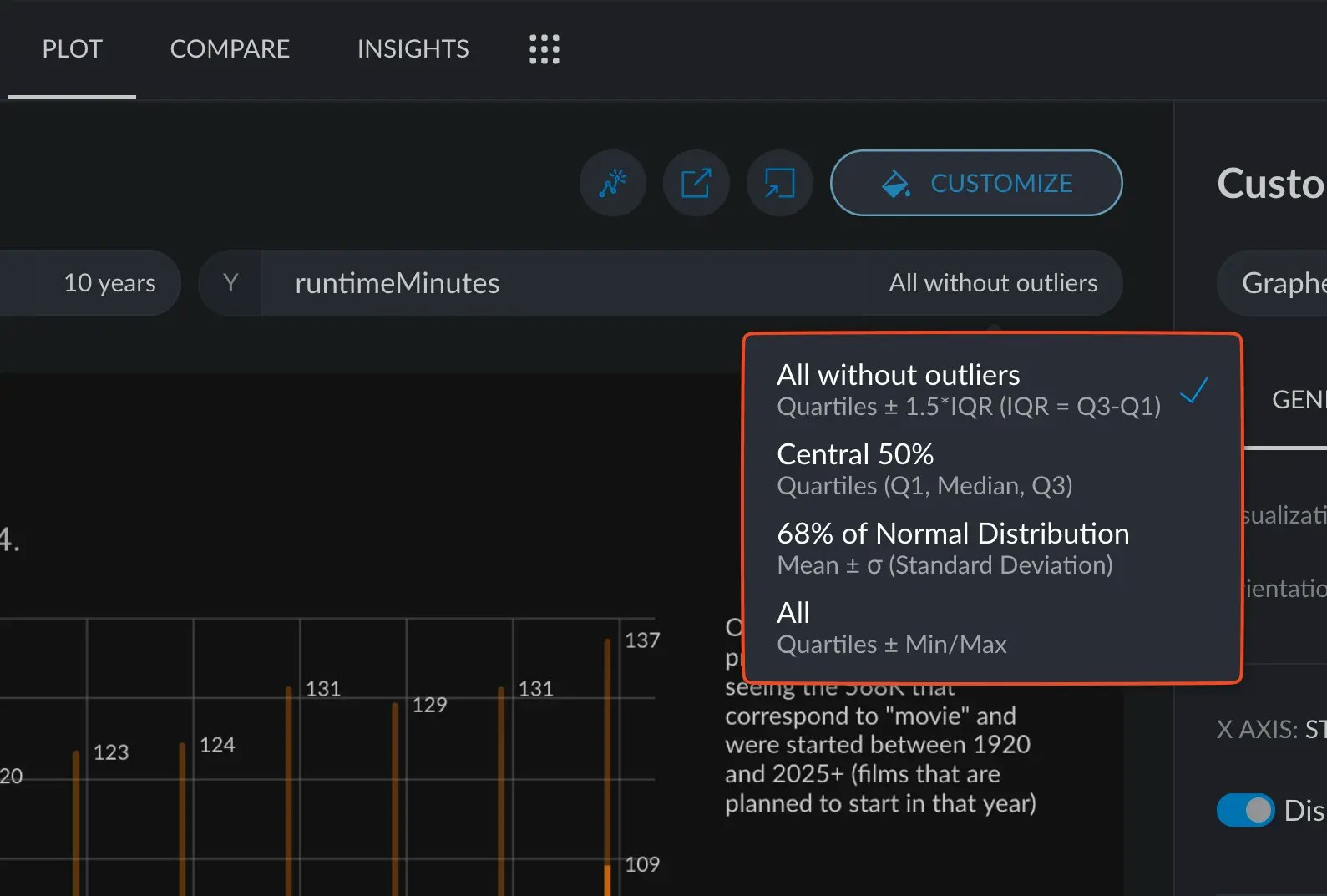
When customizing a box plot, the dependent variable will have custom options to represent different sections of the
whole distribution, such as the whole range of values, including outliers, or statistically important sections of it.
These kind of charts are quite flexible since they can display a wide range of types in an easy and information dense
format.
Box plots are not very customizable
## Customizing Box plots
Box plots are relatively simple charts on their own, and, as such, not much configuration can be made apart from
coloring the bins and changing the axes settings.
### Color
Color customization for box plots works in the same way as with any chart.
You can learn more here: [Customizing colors in a chart](/documentation/data-visualization/customizing-charts#colors).
### Axes configuration
When customizing a box plot, the dependent variable will have custom options to represent different sections of the
whole distribution, such as the whole range of values, including outliers, or statistically important sections of it.