> ## Documentation Index
> Fetch the complete documentation index at: https://docs.graphext.com/llms.txt
> Use this file to discover all available pages before exploring further.
# Dealing with nulls
> Get a quick overview of how much data you are missing
It's not uncommon to have gaps in your data. Whether the measurements were not correctly made,
or there's simply missing data, it's something we should consider and spend some time on before
doing anything else with our data.
Graphext makes it very easy to spot where your data is missing and how much.
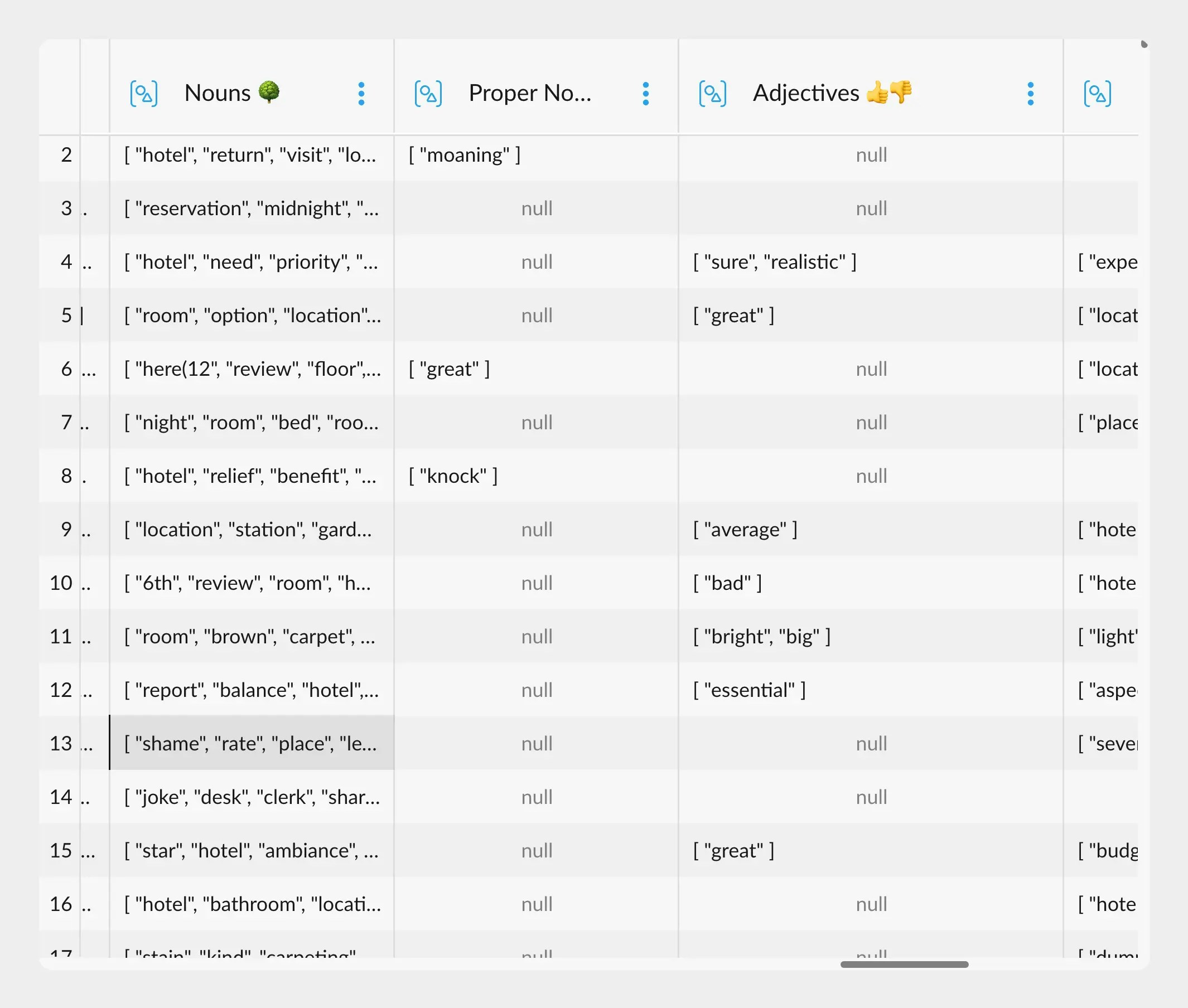
Graphext can deal with null data no problem. The table will tell you if a cell is null, like this:
 Most importantly, we can get a sense of how many null rows we have in each column by simply
checking out its corresponding little cross filter on the side:
Most importantly, we can get a sense of how many null rows we have in each column by simply
checking out its corresponding little cross filter on the side:
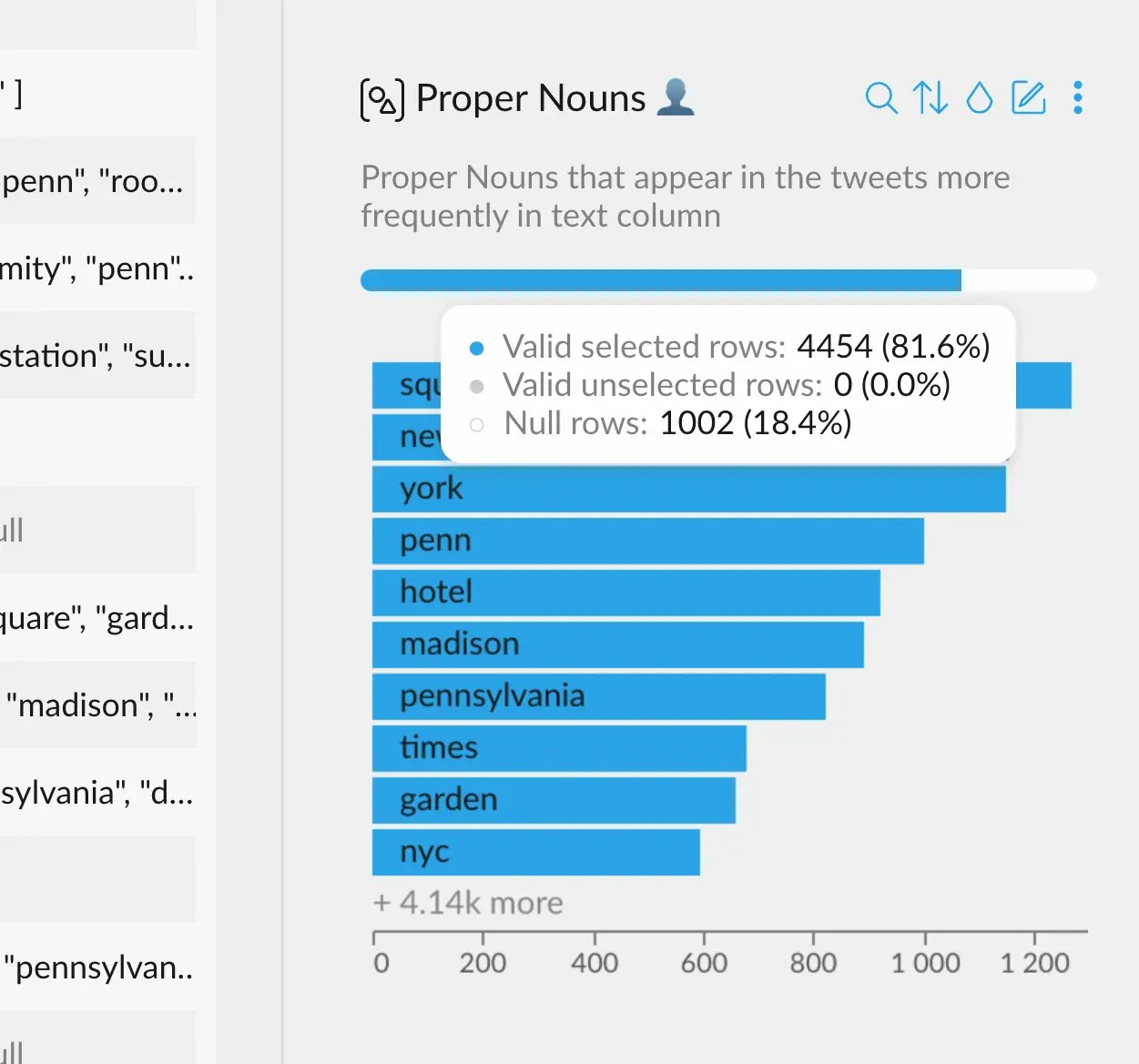 The blue and white bar represents the whole dataset. The blue part indicates the currently selected
valid rows. The white, empty part refers to those rows whose value is `null` for this column.
Moreover, we can select any of these sections, which will filter the data accordingly. This is useful to
check if there's any reason behind the null values, or to get rid of all the null values altogether in
one single click.
The blue and white bar represents the whole dataset. The blue part indicates the currently selected
valid rows. The white, empty part refers to those rows whose value is `null` for this column.
Moreover, we can select any of these sections, which will filter the data accordingly. This is useful to
check if there's any reason behind the null values, or to get rid of all the null values altogether in
one single click.