> ## Documentation Index
> Fetch the complete documentation index at: https://docs.graphext.com/llms.txt
> Use this file to discover all available pages before exploring further.
# Insights
> Save and recall findings in your research
Insights allow you to take a snapshot of your project as some relevant
finding or relation you found. They are stored under the Insights tab
and also allow you to restore the state of the project at that point,
enabling easy replication of all the [cross filters](/concepts/graphext-concepts/cross-filters) and
plot compositions you created at that point.
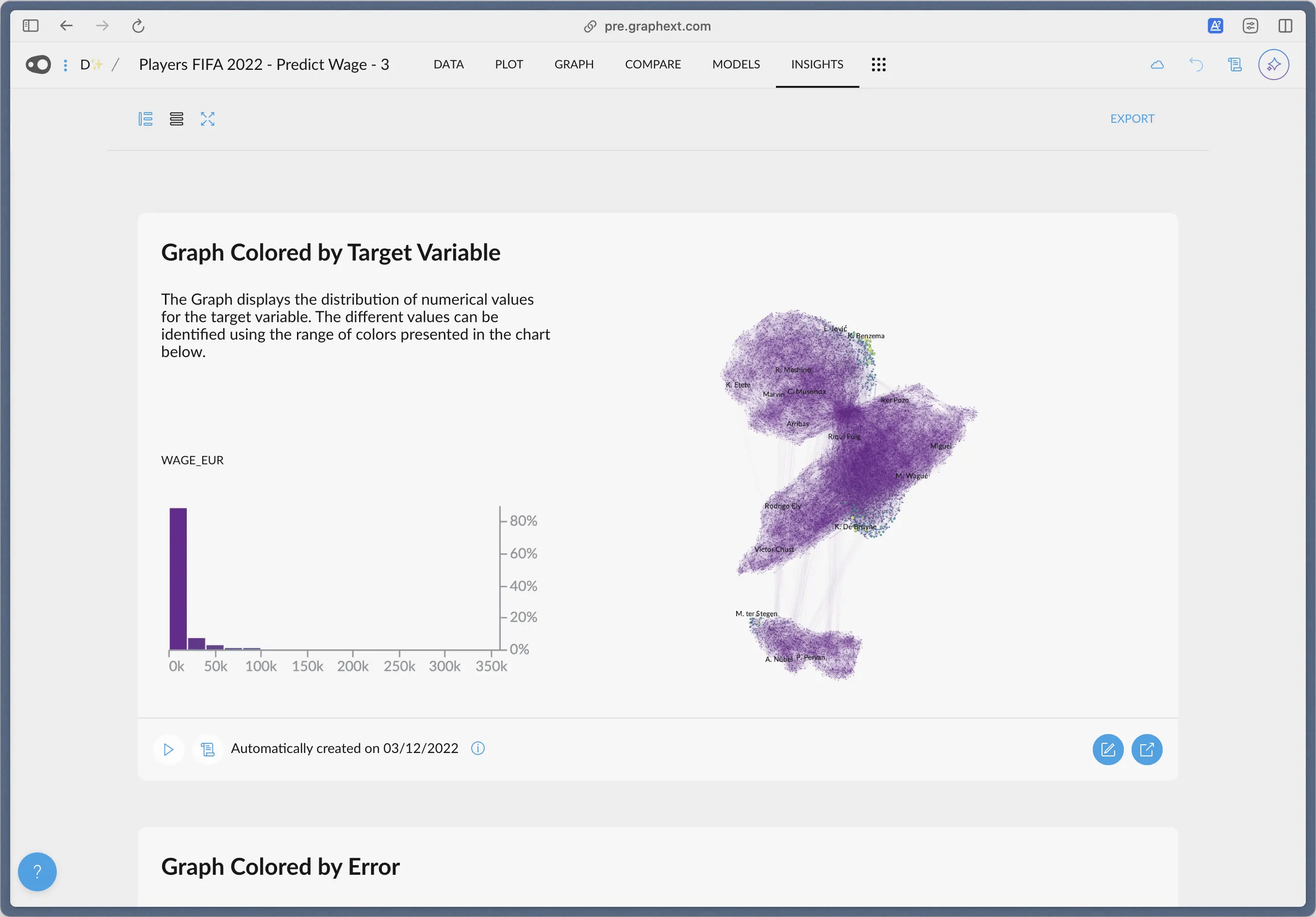 Pressing the play button in the lower left corner of each insight will
replicate the state of the app at that point, to further investigate
in that line of thought.
Alternatively, insights also serve as, well... insights! Pieces of important
information you found in your data, like relationships between variables or plots.
Pressing the play button in the lower left corner of each insight will
replicate the state of the app at that point, to further investigate
in that line of thought.
Alternatively, insights also serve as, well... insights! Pieces of important
information you found in your data, like relationships between variables or plots.
 Saving an insight of a plot will also save all the customizations made to it,
allowing for quick generation of ideas that can later be properly exported for
sharing or publishing.
Saving an insight of a plot will also save all the customizations made to it,
allowing for quick generation of ideas that can later be properly exported for
sharing or publishing.